The Self-Hosting Decision Tree When Your Agent Hits Lambda's Structural Ceiling
Match the fix to what broke: time, state, desktop, or GPU cost.
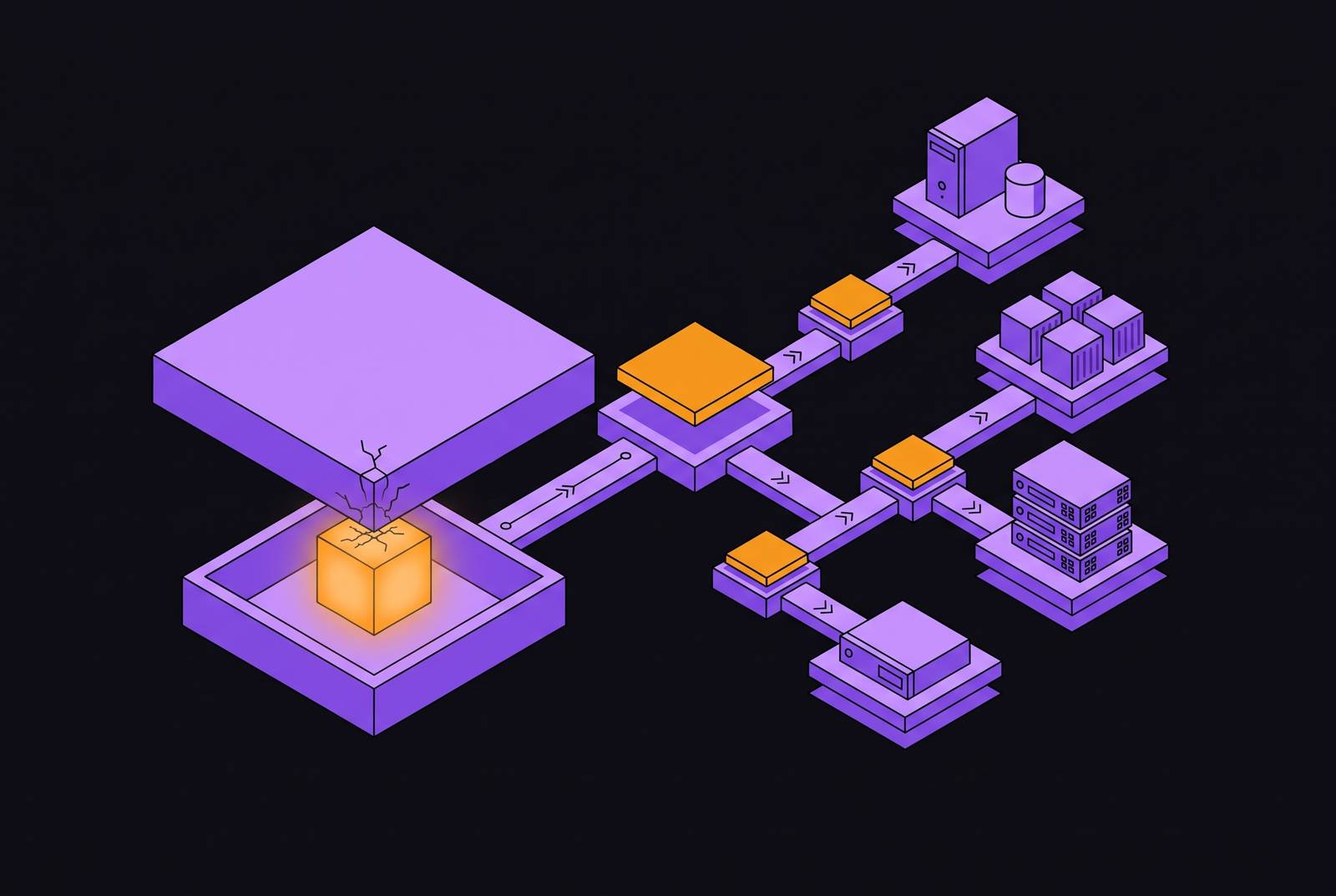
Persistent AI agent infrastructure suits work that needs to keep context, wait for people, or use a desktop. Serverless functions fit short, stateless tasks. When an agent outgrows Lambda, the right replacement depends on what broke, namely execution time, memory between steps, desktop access, or compute economics. Fixing that specific constraint is better than rebuilding the whole stack.
Why Lambda's design assumptions break under agent workloads
Lambda was designed for short, stateless, event-driven functions. An agent doing legal document analysis, incident investigation, or multi-step automation has a different shape. Its next action depends on context accumulated during earlier actions, and its work may not end at a predictable point. Lambda enforces a hard 15-minute execution limit. A task that exceeds that limit cannot finish within one invocation, however well the agent reasons.
Statelessness creates a separate source of friction. An agent can put its context in DynamoDB or S3, but saving and restoring that context at every hop adds latency and more places for the workflow to fail. Waiting makes the mismatch especially clear. An approval that arrives hours later outlasts the function, so progress depends on what was preserved outside it. Desktop interaction and GPU-heavy computation introduce different requirements again. “move off serverless” is not a complete diagnosis.
The four distinct ceilings and how to tell which one you actually hit
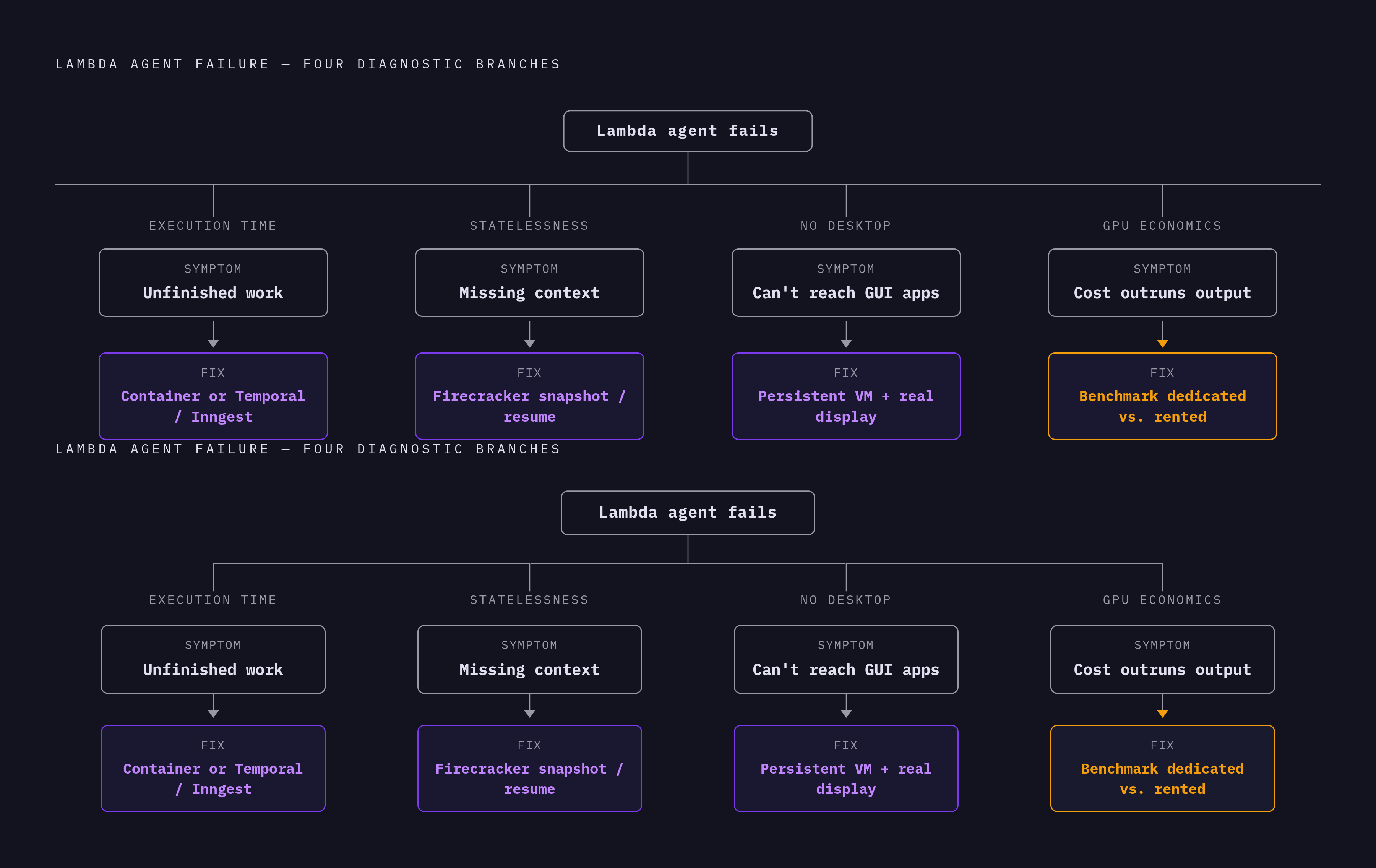
The first constraint is execution time, and its symptom is unfinished work. Does document analysis, multi-step research, or batch processing stop mid-task or restart before it gets a result? If the task genuinely exceeds the maximum execution time, that is a timeout problem. The second constraint is statelessness, and its symptom is missing context. Does the agent forget earlier observations, lose conversation history, or depend on brittle state transfers between invocations? That is a persistence problem, even if every individual step finishes quickly.
The third constraint is the absence of a persistent desktop. If the task requires clicking inside a Windows EHR, a Citrix session, or a phone-only app, the missing resource is a graphical environment. More execution time will not supply a screen. The fourth constraint is cold-start latency and cost at GPU scale, where delays make the product unusable or spending grows faster than useful work. These branches help find what went wrong, and more than one can apply. Human approval brings the first two together because the agent must wait longer than the function can run and keep enough context to carry on.
Lambda’s official instances page lists GPU offerings including NVIDIA HGX B200, H100, A100, and GH200. That does not establish an AWS Lambda GPU tier. The useful fourth branch therefore compares GPU hosting economics at actual utilization rather than assuming those two uses of “Lambda” describe the same service.
Fixing the timeout ceiling: long-running containers and durable execution engines
If execution time is the only problem, the smallest fix is a long-lived process host. A container-based service on EC2 or equivalent infrastructure can run for as long as the task requires, without Lambda’s platform-imposed timeout. That removes the immediate constraint without demanding a new desktop environment or a persistent machine for every user. Runtime length and recovery are separate questions. A process that can keep running still needs a way to recover if its server restarts.
For workflows that need that recovery, Temporal and Inngest provide durable execution. They preserve workflow state in a durable store so work can survive a restart and resume where it paused. This solution provides persistence at the workflow-state level. It lets work pick up after a pause without making the whole application one process that runs forever.
Chaining sub-15-minute Lambda calls can still work when a task has clear places to split. The objection is reasonable, but the condition is strict. When agent work is open-ended, the agent cannot reliably tell where it will be safe to pause. If every split requires reconstructing a complex working context, chunking avoids the execution limit at the cost of repeatedly rebuilding state.
Fixing the statelessness ceiling: persistent machines that sleep and resume
If rebuilding context is the problem, a persistent machine changes what survives between tasks. Instead of requiring the agent to reconstruct its environment at each invocation, the host preserves that environment. Firecracker snapshots capture guest memory, CPU register state, and device state. Resuming restores the captured machine. The distinction is between restoring a running environment and loading saved application data into a new one.
In a suspend-and-resume service that stops compute billing while paused, the agent becomes a snapshot on disk while it waits for permission. A human can approve hours later, and the machine resumes with its tools loaded and context intact. The same pattern also works with scheduled triggers and external events. It avoids keeping a function open or making a polling loop stand in for persistence.
Each user or task gets its own isolated machine, so they do not share a working environment. Session state stays within that boundary, while suspension separates the need to preserve context from the need to keep compute running. The economic benefit depends on the host’s billing model. Preserving a snapshot and charging for active execution are distinct parts of the offering.
Fixing the desktop ceiling: giving agents a real screen to work on
If an agent must use a graphical application, it needs more than a longer-running process. A Citrix window still needs a place to run. Legacy Windows applications, EHR systems, and phone-only insurance or healthcare apps require an environment the agent can see and operate. For this path, the host must provide an isolated, persistent VM with a real display. Android environments belong here too, because a phone-only application is not a missing API integration.
Microsoft UFO addresses Windows desktop interaction through its UFO2 “Desktop AgentOS.” It uses UI Automation, native application APIs, and vision together, with a host agent that coordinates application-specific agents. Its picture-in-picture virtual desktop allows automation without taking over the user’s screen. UFO3 Galaxy extends orchestration to Windows, Linux, and Android devices. These frameworks supply interaction and coordination, while the hosting layer must preserve and isolate each session’s graphical environment.
Regulated workflows add requirements beyond getting the clicks right. A clinician or loan officer may need to take over mid-task, so the desktop must be observable and accessible in real time. Each session also needs containment, action logs, and an environment that can be discarded when work ends. Screen-based perception helps when legacy applications have no clean API or document structure the agent can rely on. It does not remove the need for a real desktop underneath.
Fixing the GPU cost ceiling: matching compute shape to agent workload
GPU hosting is an economics problem as well as a capacity problem. Dedicated hardware makes sense when the load is steady and lasts long enough to keep it busy. Bursty demand points toward rented capacity instead. The comparison depends on how much the hardware is used as well as the advertised rate for an active second. Paying more per second can get expensive when volume stays high, while dedicated capacity loses its edge when it sits idle.
Evaluation and reinforcement learning introduce a different compute shape from production serving. A rollout may spawn an isolated environment, clone a repository, run tests, and wait through multiple model responses. One slow rollout can hold up a batch after nearly all the others finish. Swarm-style architectures separate rollouts into short-lived isolated environments so one outlier does not block the rest.
ProRL Agent, released as open source in March 2026, treats rollouts as a service. Each rollout runs in a SingularityRuntime container, while an asynchronous pipeline uses independent worker pools. The Holistic Agent Leaderboard, presented at ICLR 2026, reported per-run costs varying by four orders of magnitude across tasks. That variation makes a generic “agent workload” a poor purchasing unit. The practical comparison needs to reflect whether compute is serving requests, waiting on model responses, or coordinating uneven batches.
Why sandboxing is a cross-cutting requirement, not a ceiling of its own
Choosing a host does not make generated code trustworthy. An agent may produce code from user-provided prompts, including adversarial inputs, regardless of whether it runs in a container, a persistent VM, or a managed runtime. A vulnerability in that execution path can expose the whole host through Remote Code Execution. Regex-based filtering can reject obvious problems early. It is not a security boundary around the code that passes.
For code from models a team does not fully control, the recommended boundary is a microVM or VM. A container or user-space kernel is a choice to accept a weaker kernel boundary, with gVisor and Firecracker providing established isolation options. Network access also needs containment. Generated code running in Kubernetes without network policies can still reach internal services, databases, and CI/CD systems. Filtering source text does not prevent those execution-time paths.
Disposable sandboxes give untrusted work a defined end. The environment and its disk are deleted when the task finishes, clearing residual state before later tasks. Healthcare, lending, and insurance workflows may also require records of what code ran, when it ran, and what it accessed. API keys must always stay out of agent-generated code.
The managed-vs-self-hosted decision inside each path
After choosing the architectural shape, the next question is who operates it. A managed agent runtime handles the loop, including LLM calls, tool dispatch, retries, and state persistence, on vendor infrastructure. That can shorten the route to production. It also puts execution logs, retry behavior, and cost information within the vendor’s view. Self-hosting keeps control over custom retries, data residency, and audit logs, but reliable retries, dead-letter handling, and step-level observability are a multi-week engineering project.
Data residency can decide the choice before cost comes into it. If a healthcare, government, or financial services contract requires in-region processing, the contract governs whether prompts and tool outputs can go through a third party, regardless of which host a team prefers. Volume supplies another trigger. Fees for each execution may be easy to afford during validation but add up to a large bill at production scale. The practical recommendation is to use managed infrastructure while validating, then consider self-hosting when sensitive data or sustained volume justifies the operational work.
Keeping agent logic separate from the runtime’s SDK preserves that option. Prompts, tool schemas, and state definitions should not require a rewrite merely because the host changes. For desktop agents and disposable sandboxes, the operational choice is particularly concrete. A team either runs the VMs itself or delegates them to a platform charging for actual use. Neither choice removes the need for isolation, persistence, or recovery.
A practical decision tree: mapping your symptom to your next architecture
The next architecture follows from the observed failure. If the agent stops mid-task because it exceeds the execution limit, move it to a containerized long-lived process. Add durable execution when workflow progress must survive restarts. If it instead loses context between steps, choose a persistent machine with snapshot and resume.
If the agent needs to click, type, or scroll in a real application, provide a persistent VM with a display and isolate each session. If GPU spending is unsustainable, benchmark dedicated and rented capacity at actual utilization. For batch and evaluation work, also compare short-lived environments that run in parallel so stragglers do not slow down the whole batch. If human approval or scheduled resumption is required, choose a runtime that suspends and resumes with context intact. The host’s billing terms must support the intended savings while paused.
Across these branches, generated code requires a disposable sandbox and an audit log. Keep agent logic separate from the runtime SDK so another constraint does not force a full rewrite. Most production agents hit more than one constraint. That is why a persistent machine with sandboxing and a desktop covers the majority of real production cases, even though an agent facing only a timeout needs a much smaller change.